
Is the 12.3-Inch Skyline OS on the 2026 Harley-Davidson® Road Glide® intuitive for everyday touring around Binghamton, NY?
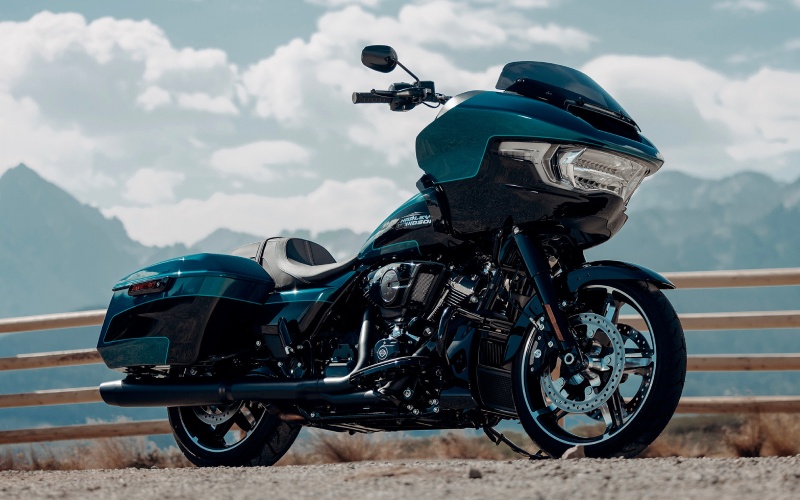
Eisenhauer’s Tioga County Harley-Davidson® - Is the 12.3-Inch Skyline OS on the 2026 Harley-Davidson® Road Glide® intuitive for everyday touring around Binghamton, NY?
Riders who want a clean, modern cockpit that reduces friction on real-world rides often zero in on the Skyline™ OS system. On the 2026 Harley-Davidson® Road Glide®, the 12.3-inch full-color TFT is the hub for navigation, audio, phone, and bike data — but how easy is it to use when you are juggling routes, weather, and varying speeds around town and on the open road? This blog unpacks how the interface, controls, and connectivity work together for everyday touring, with a lens toward practical use cases rather than spec-sheet talk.
Skyline™ OS starts with clarity. The display is bright, crisp, and organized into legible tiles that prioritize what you need most — maps, media, and key bike info. The home screen can be customized so you see turn-by-turn directions and audio at a glance, while less urgent items are a layer deep. The Road Glide® pairs with your phone via Apple CarPlay wirelessly or through USB-C, offering familiar navigation and music controls you likely already use. That familiarity matters when you are clocking miles and would rather keep your focus out ahead than poke through nested menus.
Once on the move, the system’s layout reduces decision fatigue. Primary controls are mapped logically, and on-screen prompts are easy to scan without lingering on the display. Turn-by-turn navigation is integrated cleanly, minimizing map clutter while keeping next-step instructions legible at highway speed. Audio output — 50 watts per channel to two 5.25-inch fairing speakers — remains clear as speed rises, and pairing changes are painless if you swap phones or headsets between rides.
For many riders, the true test is how the system behaves when conditions shift — unexpected weather, a missed exit, or a quick pull-off to adjust layers. Here, Skyline™ OS is built to stay helpful. Rerouting is snappy, zoom controls are responsive, and the vehicle information screen puts real-time data like outside air temperature and other essentials a tap away. You can keep ride modes, navigation, and audio in sync with your day rather than fighting a fixed display hierarchy.
- Display readability: Large, high-contrast tiles and fonts keep maps and prompts clear in bright sun or low light.
- CarPlay integration: Available wireless or wired Apple CarPlay streamlines navigation and playlists you already trust.
- Audio clarity: The 50-watt-per-channel system and well-placed speakers deliver balanced sound at speed.
- Quick customization: Configure home-screen priorities so your most-used functions sit front and center.
- Glove-friendly operation: Intuitive inputs help you make simple adjustments without wrestling the interface.
It is worth noting how Skyline™ OS plays with the rest of the Road Glide® package. With Cornering Rider Safety E nhancements managing the traction and braking basics in the background, you are free to keep your attention on navigation and the road. That harmony — chassis composure, safety assists, and a logically designed dash — is what makes the 2026 model feel truly modern for everyday touring.
If you are evaluating which touring bike offers the best balance of power, comfort, and technology, the Road Glide® dashboard deserves a close look. The learning curve is short, the essentials are easy, and the system keeps up when you have to improvise. Whether you are planning a season of weekend loops or a longer itinerary, you will likely find that Skyline™ OS supports, rather than complicates, your ride. Eisenhauer’s Tioga County Harley-Davidson® is serving Williamsport, Binghamton, and Syracuse with rider-first guidance on setup and real-world tips to make the most of your cockpit from day one.
Frequently Asked Questions:
Does the 12.3-inch display work without Apple CarPlay?
Yes. Skyline™ OS offers native navigation, audio, and bike data screens. Apple CarPlay is available wirelessly or via USB-C if you prefer your own apps and playlists, but the core functions are built in and easy to use either way.
Can I personalize what I see on the home screen?
Absolutely. You can prioritize tiles such as navigation, audio, and vehicle information so the data you want most appears first. This keeps your ride essentials front and center and reduces time spent navigating menus.